A guide to the 2025 software cycle
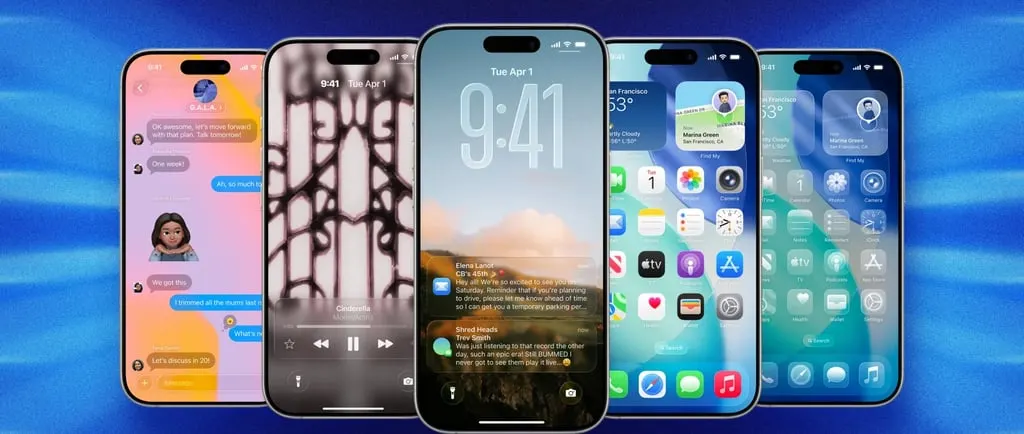
iOS 26 introduced a visual direction and changes to several apps. Keep its launch timeline separate from later releases when reading this guide. Manufacturer announcements describe planned capabilities and their requirements. They do not replace testing on your own phone, and they do not guarantee identical behaviour across every supported model. Read the article as a guide to this specific version.
Check two different kinds of compatibility
Operating-system compatibility means a device can run iOS 26. Apple Intelligence has additional requirements. Some features also need an eligible language or region. Find your model in Settings, then compare it with the requirements for the feature you want. A general list of supported phones cannot establish that a particular AI capability will be available on each of them.
Look for changes useful to you
Liquid Glass changes the presentation of controls and navigation. Evaluate app features against the tasks you actually perform. Review the options after updating and adjust accessibility settings if necessary.
- Check communication features you use frequently.
- Review permissions requested by your apps.
- Confirm availability in your language.
- Test essential accessories and applications.
Prepare an appropriate update
Make a recent backup and check available storage before installation. For a daily-use device, favour the compatible public releases Apple offers. If you revisit this article after 2025, check the manufacturer’s current information when choosing an update. The material here explains iOS 26 and its launch context, while your update decision should use the requirements for the release you intend to install.
Video demonstration
Video from the original publication. Refer to the revised instructions in this article when a setting or procedure differs.